AuditDesktop supports an Activities nomenclature. Employees can use
Activities to select type of activity when filling in their
Timesheets. To access the nomenclature, open the
Settings tab and click Activities.
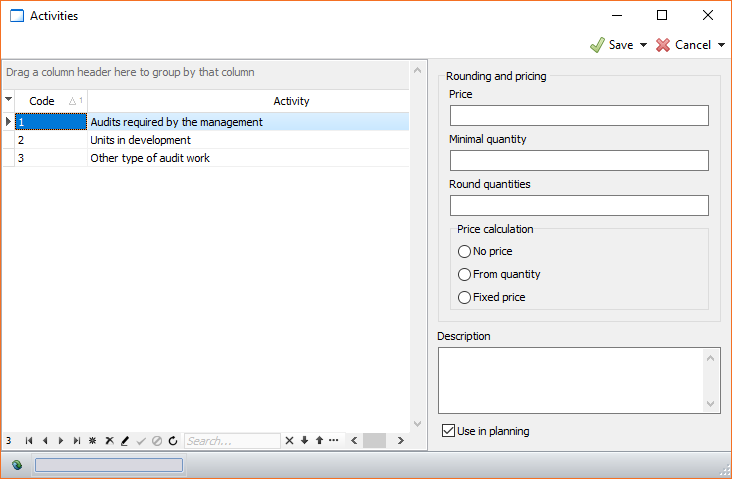
Here you can enter all activities necessary for your work. For each type
of activity, you can enter a code and a name in the Code and
Activity columns.
The following parameters are available for each activity that you enter:
- Price - the unit price of service provided for one hour
- Minimal quantity - the minimal quantity in minutes that will be
registered when entering a record in the timesheet - Round quantities - the rounding time to minutes when tracking
time - Price calculation:
- No price - the value is not calculated
- From quantity - to calculate, multiply the time invested in
hours by the unit price - Fixed price- the value is equal to the unit price,
regardless of the time invested
- Use in planning - the activity can be used for the Strategic and
Annual planning
In the Description field you can add a short description of the
selected activity (not required).