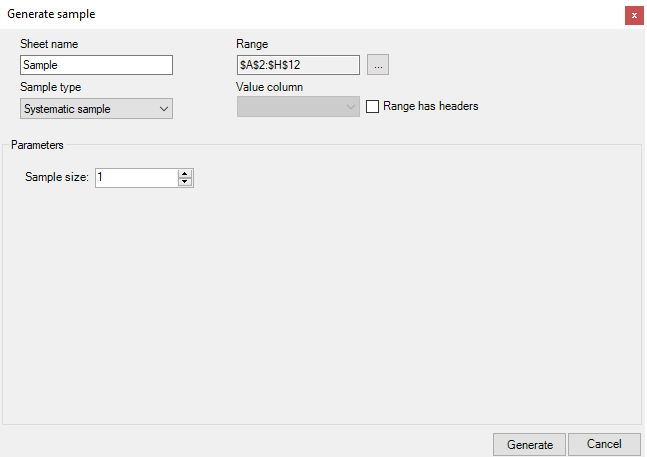
Sample type: Systematic sample
Parameters: Sample size
Description: Shows the values over a certain interval of the
population until the desired sample size is reached
Generation
To generate the sample, perform the steps:
-
Select the region of the population and click the Generate sample
button. -
Enter Sheet name - if you do not enter a name, the program will
automatically name the sheet Sample, Sample 1, Sample 2,
etc. -
In the Sample type drop-down menu, select Systematic sample.
-
If necessary, change the population region in the Range field by
clicking the ''...'' button. -
Mark whether the region includes headers.
-
In the Parameters section, set the Sample size.
-
Click the Generate button.