The Items and Objectives tabs are specific to the setup of
Program type of working paper.
The buttons give access to these actions:
 Import -
import the Program from an Excel file- Export - export the Program to an Excel file
- Add - add a new step or sub-step
- Delete - delete a selected step or sub-step
- Paste - paste the copied data
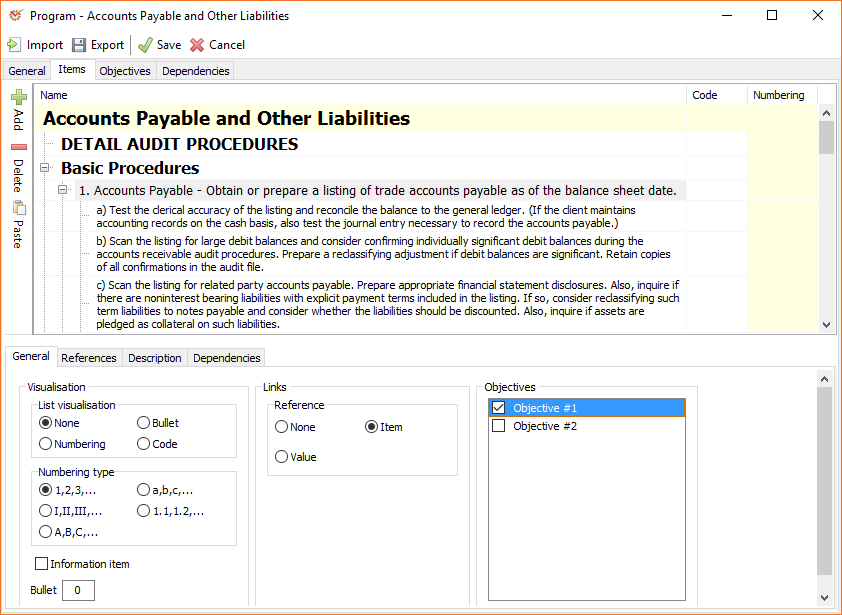
Items
This tab shows the Name, Code and Numbering columns of the steps
and sub-steps. To edit a step, double click on it to open the Edit
text window, or select the element and press the F2 key on the
keyboard.
General
- Visualisation - the way steps and sub-steps are visualised:
whether they will be bulleted, numbered, etc. - Numbering type - select the numbering type that will be used
- Information item - mark the option if the item is present only
for the purpose of grouping (used for titles, topic sentences, or
sections which do not require any answers) - Bullet - enter the preferred bulleting symbol
- Links - activate or deactivate the option to add references to a
step or sub-step - Objectives - all objectives added in the Objectives tab.
Select a step or sub-step and mark its objectives in order to
connect them.
References
- Add - add a new reference file
- Remove - remove an existing reference file
If you double click on a reference, you will open its context
menu where you can add or remove references as well as
mark the selected reference as Read only or Read/Write.
Description
Add a short description of or instruction for the selected step or
sub-step.
Dependencies
Set up the activation of specific Program elements in accordance with
predefined dependencies.
Objectives
This tab shows the Program's objectives. Click Add to add the
objectives that will be achieved after completing all steps and
sub-steps. After adding a new objective, you can connect it to a step or
sub-step in the Items tab.
To change an objective's name, double click on it to open the Edit
text window, or select the objective and press the F2 key on the
keyboard.