To add a new member to an engagement team, follow the steps:
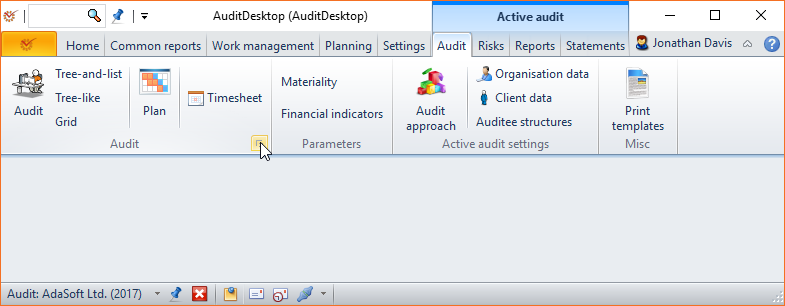
- Click the Edit engagement button.
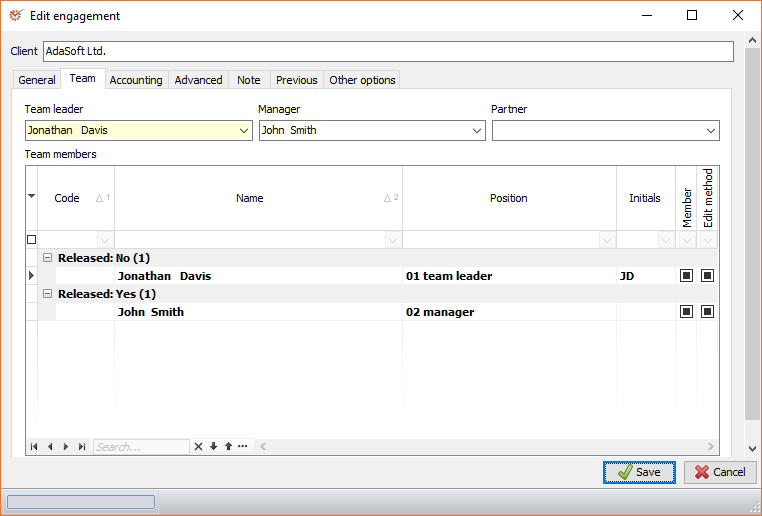
- In the Edit engagement window, open the Team tab. Mark the
box in the Member column corresponding to the employee whom you want
to add to the team. Click Save.
If you want to give access to a member to edit the engagement
method, put a mark in the Edit method
column.
- Click Audit to open the active audit window. Click the
Settings button located at the lower right corner of the screen.
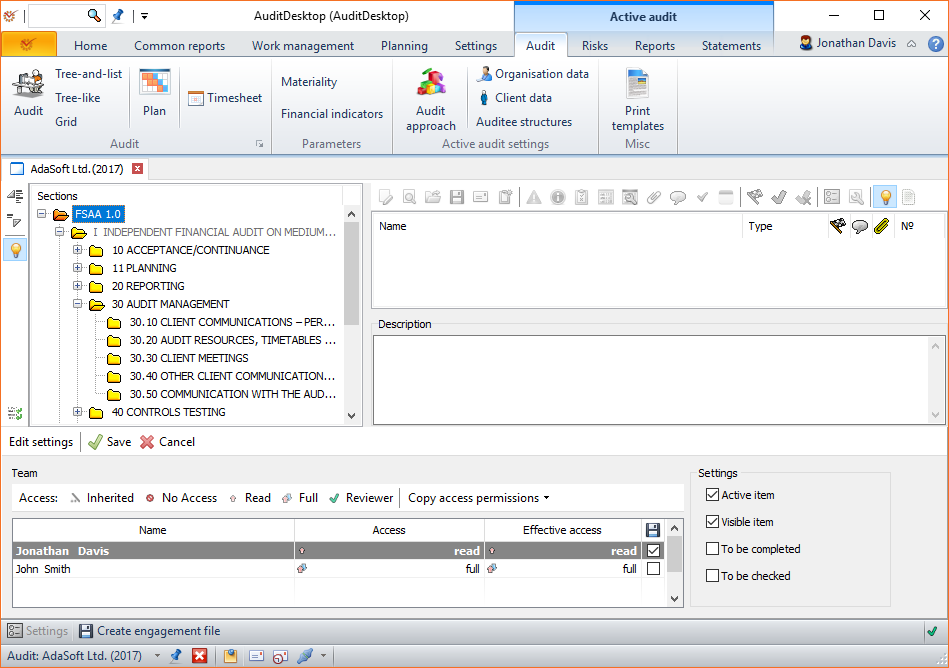
- Select the main audit section or a subsection that you want the new
team member to have access to. Choose the type of access (Read, Full,
Reviewer, etc.) and mark the respective tickbox. Click Save.