To import an audit engagement method, perform the following
steps:
-
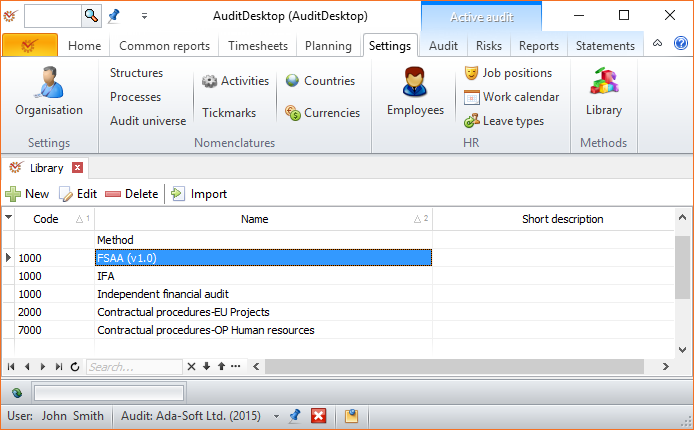
Open the **Settings **tab and click the Library button.
-
Click the
 Import button.
-
From the local computer select the method file that you want to add
and click Open. Method files have a .ecm extension. -
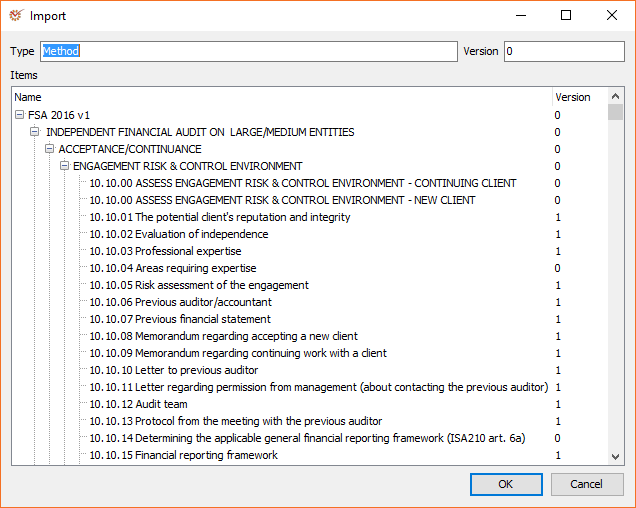
The Import window will display a preview of all items to be
imported. To start importing, click OK.
Note
The duration of the import process depends on your computer speed as
well as on the size and complexity of the selected method.