To be able to edit the Final statement of financial position,
perform the steps:
-
Open the Statements tab and click Statement of financial
position. -
Open the Final tab.
-
Click the Editing:Data button.
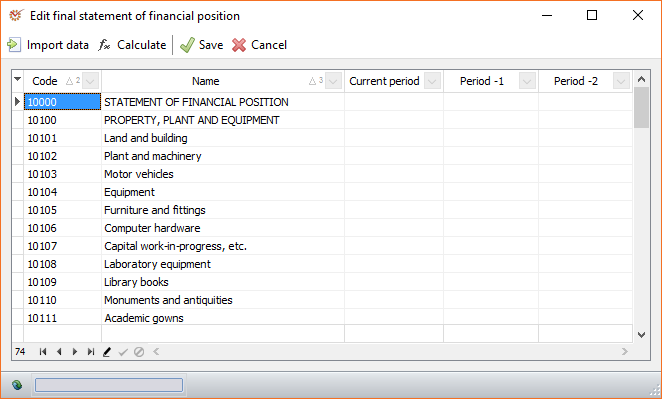
The active window includes the columns:
- Code - the code of the item
- Name - the name of the item
- Current period - current period's value
- Period-1 - previous to the current period
- Period-2 - period before last
The Import data button opens the window for selecting data import
specifications.
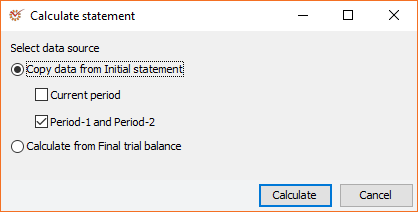
The Calculate button opens the Calculate statement window:
The Final statement of financial position is not set up to be
automatically calculated in the program. You can enter it manually or
you can use the automatic calculation option.
- Copy data from Initial statement - uses data from the Initial
statement of financial position- Current period - apply to current period
- Period-1 and Period-2 - apply to previous period and the
period before last
- Calculate from Final trial balance - the program will use data
from the Final trial balance, i.e. the Trial balance which includes
the adjustments and reclassifications
- When you finish editing, click Save.