When launched, the program will use the language set as the operating
system language, as long as it is supported.
If you want to change the
language, perform the steps:
- Open the Application menu and click Languages.
-
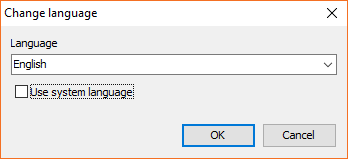
Unmark the Use system language option.
-
Select your preferred language from the drop-down menu of the
Language field. -
Click OK.