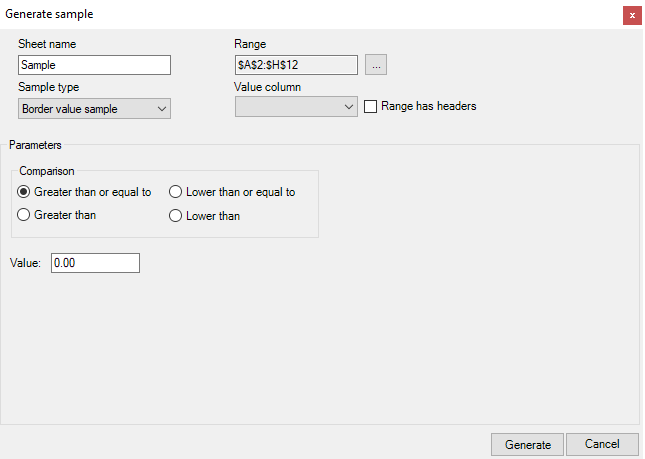
Sample type: Border value sample
Parameters: Comparison: Greater than or equal to, Lower than or
equal to, Greater than, Lower than; Value
Description: Shows all values according to the selected comparison
parameter
Generation
To generate the sample, perform the steps:
-
Select the region of the population and click the Generate sample
button. -
Enter Sheet name. If you do not enter a name, the program will
automatically name the sheet Sample, Sample 1, Sample 2,
etc. -
In the Sample type drop-down menu, select Border value
sample. -
If necessary, change the population region in the Range field by
clicking the ''...'' button. -
In the Value column drop-down menu, select the column that the
values will be taken from. -
Mark whether the region includes headers.
-
In the Parameters section, select the comparison method:
Greater than or equal to, Lower than or equal to, Greater
than, Lower than. -
In the Value field, define the comparison number.
-
Click the Generate button.