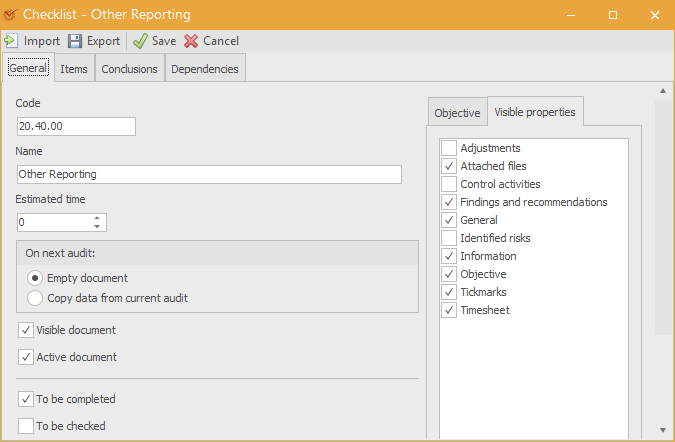
The General tab of theworking papers'
settings includes the following parameters:
- Code – codes make the search for working papers easier
- Name – the name of the working paper
- Estimated time – the estimated time to complete the working
paper - On next audit:
- Empty document – data from the current audit will not be
transferred to the new audit - Copy data from current audit – data from the current audit
will be transferred to the new audit
- Empty document – data from the current audit will not be
- Visible document – whether the working paper will be visible or
invisible - Active document – whether the working paper will be active or
inactive - To be completed – whether the working paper must be
completed - To be checked – whether the working paper must be
checked - Objective – description of the working paper's objective
- Visible properties – this affects the visible
properties such as Risks,
Adjustments, Tickmarks, etc. It has
an impact on working papers' context menu and
built-in forms.