To access the Documents report, open the Reports tab and
click the Documents button.
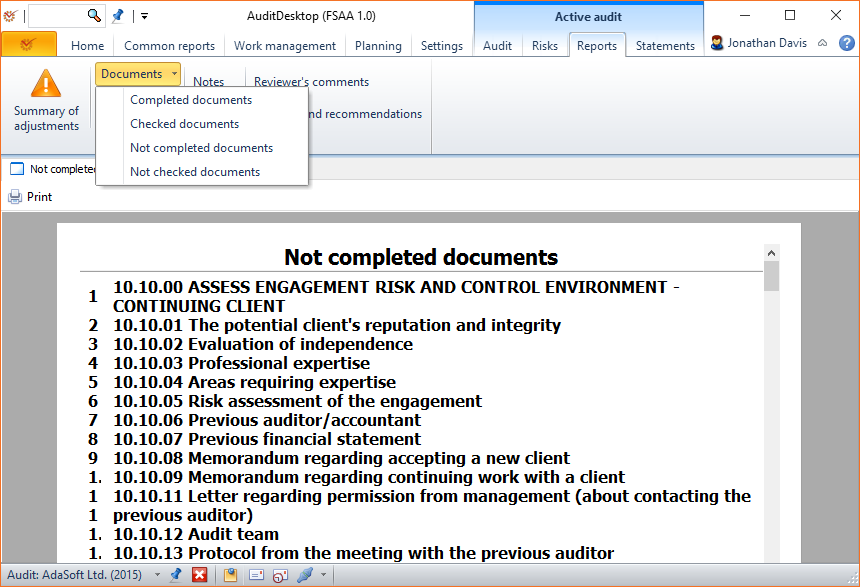
Select the document type from the drop-down menu:
- Completed documents - shows a list of all documents marked as
completed - Checked documents - shows a list of all documents marked as
checked - Not completed documents - shows a list of all documents which
must be completed. If you open the Edit structure window through
the context menu of a document, the document will be
automatically marked as To be completed. - Not checked documents - shows a list of all documents which must
be checked. If you open the Edit structure window through the
context menu of a document, the document will be
automatically marked as To be checked.
If you right click on a document, you will open its context menu. It
gives access to a number of actions, among which is the option to mark
the document as Checked/Not checked or Completed/Uncompleted.
The  Print button opens the
window for selection and printing of
templates, which you can use to print out the
documents. The templates supported by the program can be personalised
according to your preferences.