To be able to manage users, you must be logged in as a database system
administrator with the SYSDBA username. This function is available
only in Network database connection type and program license type
other than No team.
-
Open the Settings tab and click the Employees button.
-
Open the User accounts tab.
-
Click
 Admin login to enter
in administrative mode.
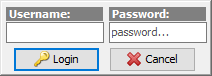
- Fill in the SYSDBA username and respective password. Click
Login.
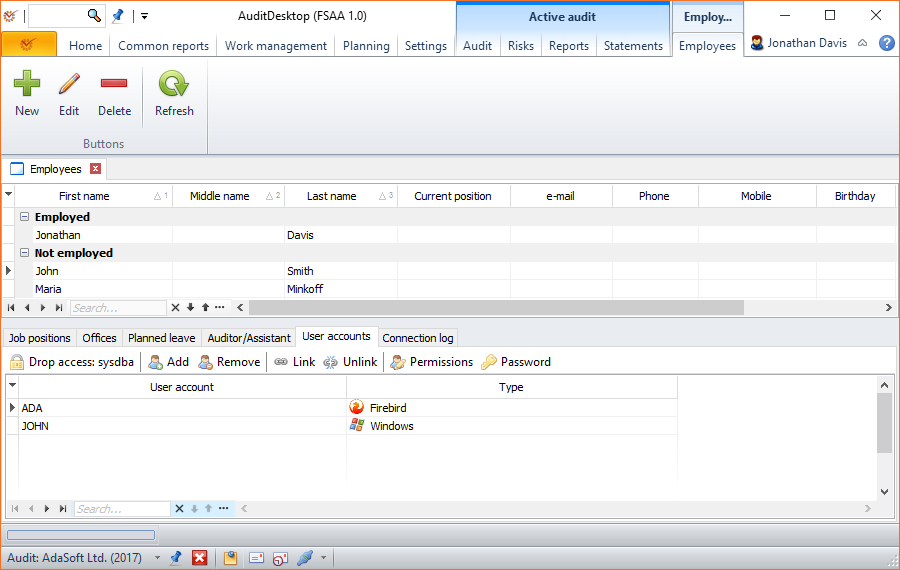
AuditDesktop supports two types of user accounts:
Firebird user and Windows user. It is possible for an employee
to have more than one user account, for example one Firebird and another
of the Windows type. It is also possible for an employee to have more
than one user account of the same type.
The New, Edit, Delete, and Refresh buttons enable you to
add a new employee, edit or delete an already added one as well as to
refresh data in the table.
Also, you can select an employee and perform the following available
actions:
 Add - add a new user
account Remove - remove a user
account Link - link an existing
user account on the server to the selected
employee Unlink - unlink a user
account linked to the employee Permissions - define user
permissions for the selected user Password - change the
selected user's password
- Once you are ready, click
 Drop access: sysdba to exit
the administrative mode.