AuditDesktop supports Organisation data nomenclature. To access it,
open the Settings tab and click the Organisation button.
Note
Before you start working with the system, it is preferable that you set
up several parameters.
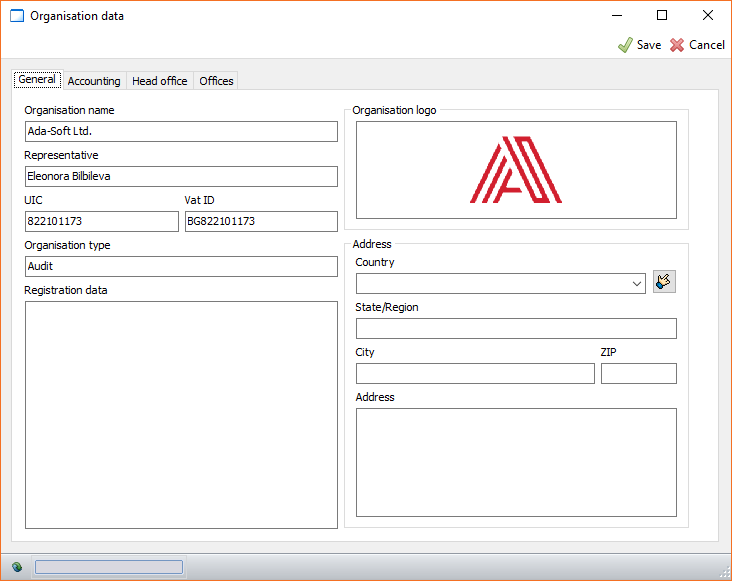
General
The Organisation name, UIC and Vat ID fields cannot be
changed. Their data comes filled in with your product license. If you
wish to make corrections to any of these three fields, you must contact
us for a license reissue.
The values that you enter in these fields will be used in report
printing or when filling in engagements' parametrised documents.
Parameters that affect other functions
There are no mandatory fields to fill in, however, some fields affect
other program functions.
Accounting
When creating a new engagement, the accounting
settings that are specified in this section will
be set by default. You can change them later on. The parameters are the
following:
- Trial balance type
- Use Control TB
Head office
You can fill in the company's head office information in the designated
fields.
Offices
If you have numerous offices, you can fill in their information in the
designated fields. Data from this section can be used in several cases:
- Clients - define the office that will serve a given
client - Employees - define the office an employee works at
- Report: Timesheets - give access rights to employees
to see only the timesheets of clients that are served by the office
they work at, or the timesheets of co-workers in their offices