AuditDesktop supports work with an Identified risks nomenclature. It
is a comprehensive list of all risks identified in the working
papers, providing information about each risk in
terms of risk level, impact on materiality, whether it affects
statements, etc.
To access a working paper's list of identified risks, choose one of the
following ways:
- Open the engagement → Right click on the working paper → From the
context menu select
 Identified risks
- Open the engagement → Select the working paper → Click
the Identified
risks button located in the toolbar
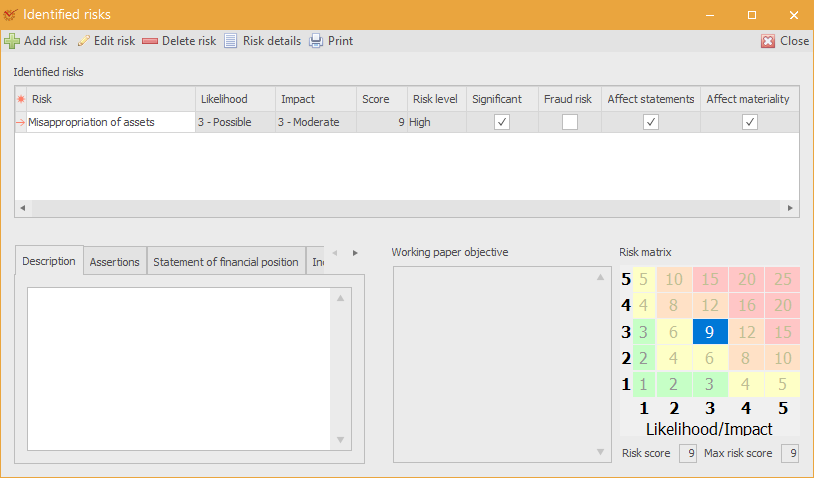
The buttons enable you to do the following actions:
 Add risk – open the
window for adding new risks Edit risk – open the
window for editing risks Delete risk – delete the
selected risk Risk details – detailed
information about the selected risk Print – open the window
for printing templates
Description
The tab gives a description of the identified risk.
Assertions
The tab shows which management assertions cover the selected risk.
Statement of financial position
The tab shows which statement of financial position
items
are affected by the risk.
Income statement
The tab shows which income statement
items
are affected by the risk.
Working paper objective
The field gives a description of the working paper's objective.
Risk matrix
The section shows the risk score which is automatically assessed by the
program.
All risks that have been identified during the audit process can be
viewed in the Risk Register.