To add a new system user, you must log in the system with the SYSDBA
username and password. Next, perform the following steps:
-
Open the Settings tab and click Employees.
-
Click
 New.
-
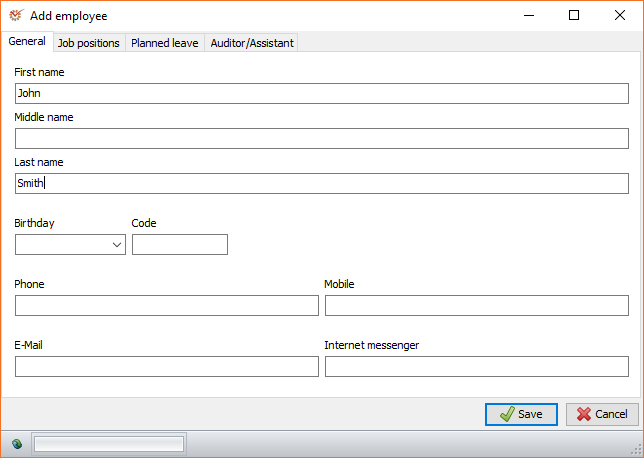
In the Add employee window, fill in the information about the new
employee. -
Open the Auditor/Assistant tab and mark the Auditor and/or
Assistant box. -
Click
 Save.
-
To assign a user account type to the new user,
select him/her and open the User accounts tab.
AuditDesktop suppports two types of user accounts:
- Firebird user
- Windows user
-
Click the
 Add
button. -
Re-enter the SYSDBA username and password so as to prevent
against any unauthorised actions. -
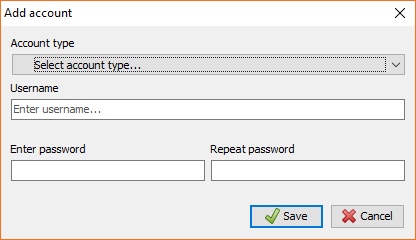
Select the Account type from the drop-down menu and fill in the
Username and Password fields. Click
Save.
-
To assign access permission to the new
user, click
the Permissions
button. -
Select the desired access permission in the User permissions
window. Click
Save.